
Part 1: Child Support Overview
Part 2: Get Started and Enter Essential Details
Part 3: Spousal Support and Spousal Maintenance Adjustments
Part 4: Non-Joint Children Adjustments
Part 5: Support Obligation Adjustments
Part 6: Comments, Settings, and Exporting
Get Started and Enter Essential Details
This post is the second in Legal Thunder’s 2025 Guide to Calculate Child Support in Colorado series. This Part 2 of the Guide reviews how to enter the essential components of a child support calculation:
- The number of children included in the child support order
- The gross income of each parent
- The number of overnights the child or children will spend with each parent.
Select Your Subscription and Register
In order to access Legal Thunder’s child support calculator, make sure you’ve selected your subscription plan and completed the registration steps at https://my.legalthunderapps.com/register.
Step 1: Create a Case (Pro Subscribers only)
Each calculation is a Case Document stored in a Case. If you are a Premium subscriber, your Case is already set up and you may skip to Step 2.
If you are a Pro subscriber, create a case by navigating to your Account Dashboard and then click the + New Case button.

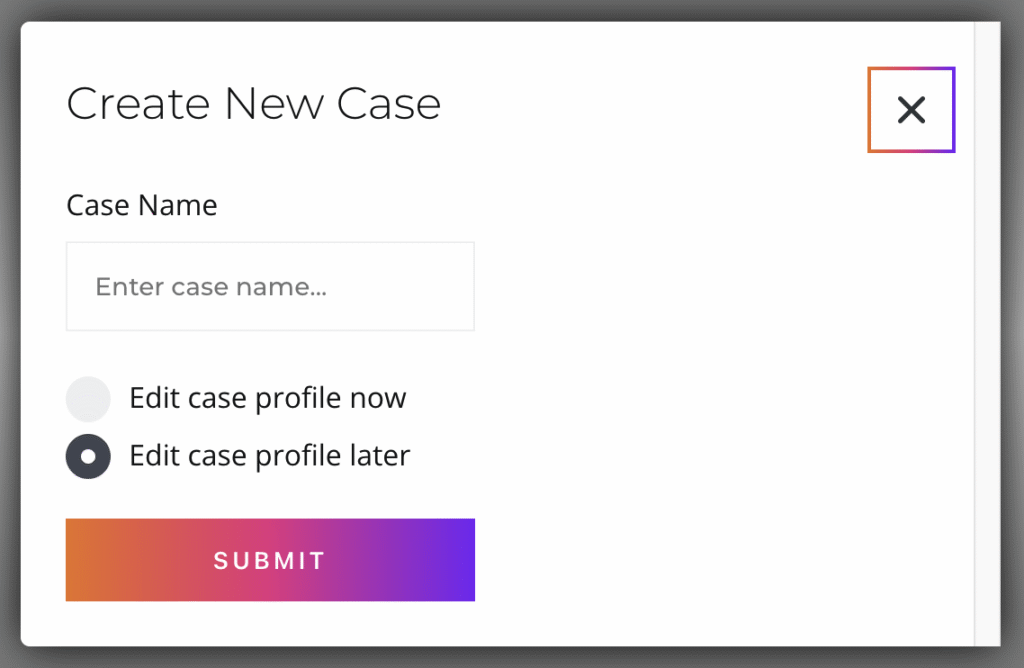
On the popup menu, enter a Case Name, which can be the case number, your client’s name, or whatever else you choose; select Edit case profile later, if you want to get to your calculation right away and fill in the party names and court information later; and click Submit.
Step 2: Create a Child Support Document
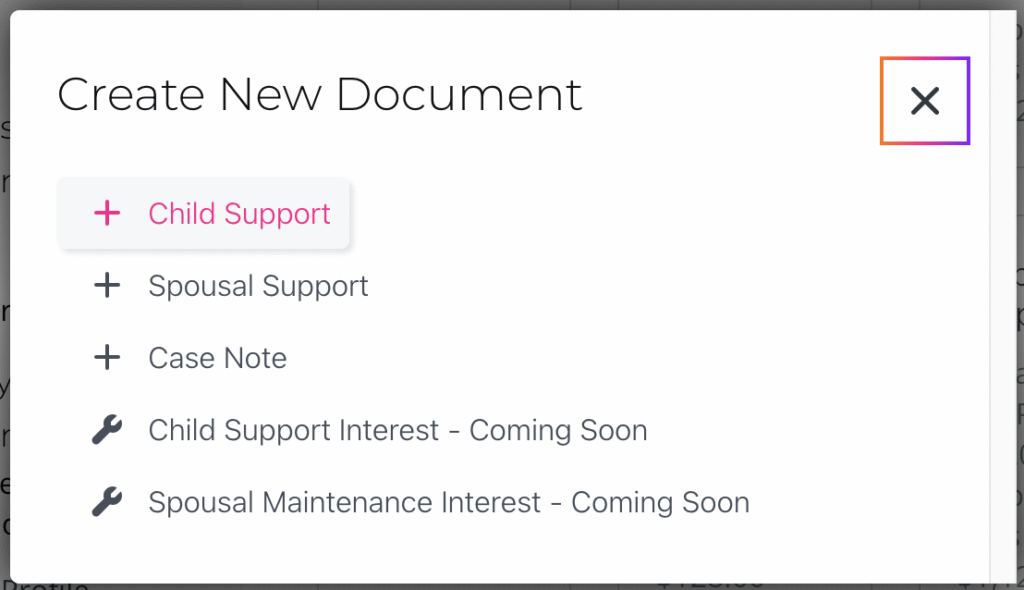
From the Case Dashboard screen, click the + New Document button.

Click + Child Support on the popup menu.
Step 3: Enter the Number of Children
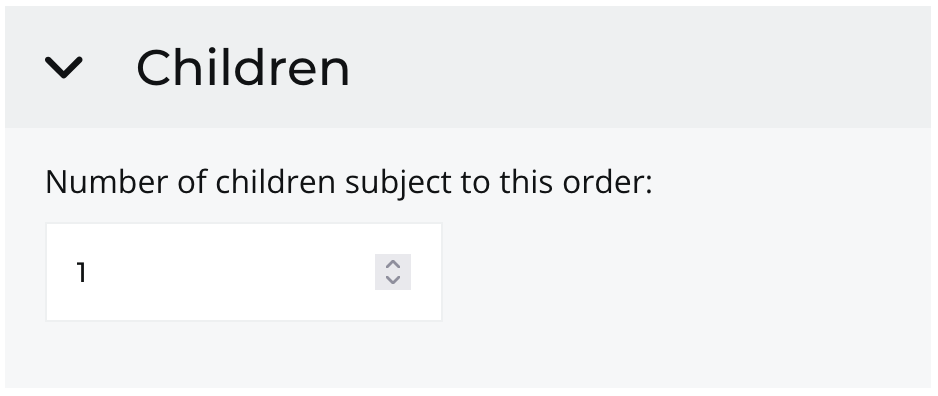
Click on > Children to open up the section and enter the number of children subject to this child support order.
Step 4: Enter the Number of Overnights
Click on > Overnights to open up the section.
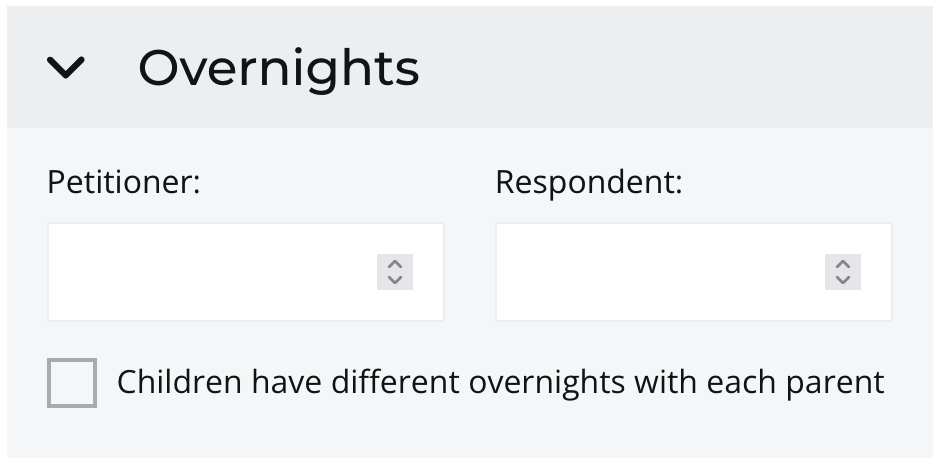
If all of the children for this support order follow the same overnight schedule, enter the number of overnights the children will spend with one of the parties over the course of a year. The other party’s number of overnights will auto-complete once the initial party’s overnights are entered.
If the children for this support order follow different overnight schedules, click the Children have different overnights with each parent checkbox and follow the instructions.

Quick Tips
If the overnights will be split half the time with each party (i.e., 50/50), enter 182.5 for either party.
If the children follow the same weekly schedule, multiply the number of days of the week by 52 to find the total overnights for the year. On a biweekly schedule (every other week), multiply by 26. The charts below show some results for quick reference.
| Weekly Overnights | Yearly Overnights |
| 1 | 52 |
| 2 | 104 |
| 3 | 156 |
| 4 | 208 |
| 5 | 260 |
| 6 | 312 |
| 7 | 364 |
| Biweekly Overnights (every other week) | Yearly Overnights |
| 1 | 26 |
| 2 | 52 |
| 3 | 78 |
| 4 | 104 |
| 5 | 130 |
| 6 | 156 |
| 7 | 182.5 |
Step 5: Enter Gross Monthly Incomes
Click on > Monthly Gross Income to open up the section.
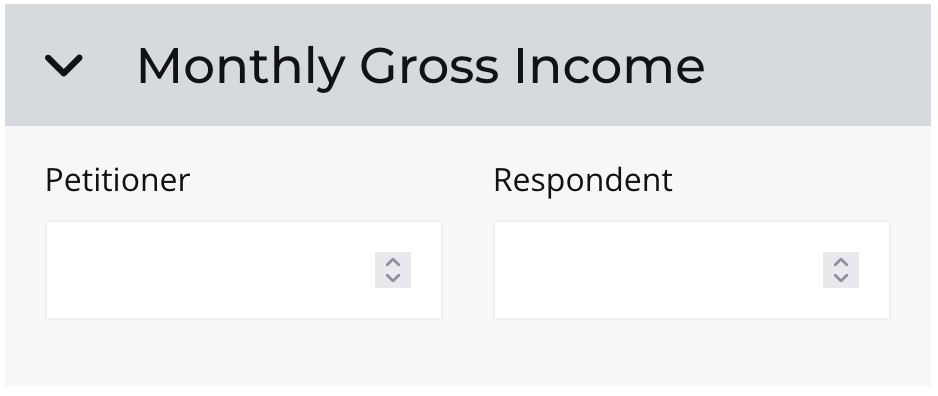
Entering gross incomes is a fundamental step for establishing the financial responsibilities of each parent for support of the children. Remember that child support is calculated based upon each party’s gross income, that is, before taxes and other deductions are taken out.
Remember that some months have more than four weeks. If you know your weekly income, it is not always accurate to simply multiply by four to arrive at your monthly income.
Need help converting your salary or hourly wage to monthly gross income? Try using the Monthly Income Calculator.
Convert Weekly Income To Monthly Income
To convert weekly income to monthly income, estimate how many weeks in a year you get paid – if you get paid time off for sick days or other personal and or holiday time, you can multiply the weekly pay by 52 weeks, then divide by 12 months; if you do not get paid time off for sick days or other personal time, consider how many weeks in a year you actually work, and multiply that weekly pay by your estimated number of work weeks (for example, 50 weeks), then divide by 12 months.
Convert Biweekly Income To Monthly Income
Biweekly income means payment every two weeks, exactly, usually the same day of the week each time (for example, every other Friday). To convert biweekly income to monthly income, multiply your biweekly income by 26 pay periods, then divide by 12 months.
Convert Bimonthly Income To Monthly Income
Bimonthly income means payment twice each month, not always the exact day of the week, but no more or less than two times each month (for example, the 5th and 20th of every month). To convert bimonthly income to monthly income, multiply your bimonthly income by 2 pay periods.
If you receive bonuses, commissions, or other financial incentives and benefits, they need to be included in your gross monthly income for purposes of calculating support. Section 14-10-115, C.R.S., includes a list of what counts as income for purposes of calculating child support. If you are not sure about whether any income you may have should be included, talk to a licensed legal professional.
Once both parties’ gross monthly incomes are entered, you should see a preliminary recommended child support obligation result on the summary section of the calculator.
This preliminary Basic Support Obligation may change if either party pays or receives spousal maintenance (i.e., alimony) or if either party has a minor child or children from a different relationship. Each party’s incomes for purposes of child support may be adjusted to account for such scenarios. The recommendation will update as more details and adjustments are added or edited in the following sections. Keep an eye on this to see the impact an adjustment may make on the support order.
TIP – Low Income Adjustments
Colorado has specific child support adjustments for low-income parents, including a minimum monthly payment of $10 for incomes of $650 or less. For incomes between $650 and $1,500, there is a tiered schedule depending on the number of children. If the paying party fits in this category, the calculator will apply this adjustment automatically.
Step 6: Save Your Progress and Continue
This is a good time to take a moment to save your progress. Click on the SAVE button to ensure your changes are recorded.

Continue on to the next post to see whether and how income or the support obligation may be adjusted according to Colorado’s child support guidelines in the Guide to Calculate Child Support series at Part 3: Spousal Support and Maintenance Adjustments.
Disclaimer
This guide is intended for informational purposes only and is not a substitute for legal advice. The information provided in this guide is generalized, and every case is different. If you are not sure whether a particular part of this guide should apply to you as described or not, please check with an attorney or limited license paralegal.