
Part 1: Child Support Overview
Part 2: Get Started and Enter Essential Details
Part 3: Spousal Support and Spousal Maintenance Adjustments
Part 4: Non-Joint Children Adjustments
Part 5: Support Obligation Adjustments
Part 6: Comments, Settings, and Exporting
Child Support Overview
This post is the first in Legal Thunder’s 2025 How to Calculate Child Support in Colorado Guide series. If your child support will be established or modified on or after March 1, 2026, this guide does not apply to your case. Our team is working on an updated guide for 2026. Subscribe to our newsletter to find out as soon as it is available.
The guide is intended for anyone interested in calculating child support using Legal Thunder’s software, whether they are a law professional or a layperson. This could include, but is not limited to:
- Parents looking to establish a new child support order or to modify an existing one
- Family law attorneys, paralegals, limited license paralegals (LLPs), and other legal professionals
- Couples going through divorce mediation looking resolve issues outside of court
- Mediators
- Financial professionals advising parties who will pay or receive child support
- Divorce coaches
If you encounter any technical difficulties or need assistance, do not hesitate to send us a note through the chat forms available at each page or send us an email at support@legalthunderhelp.zendesk.com.
What is a Child Support Worksheet?
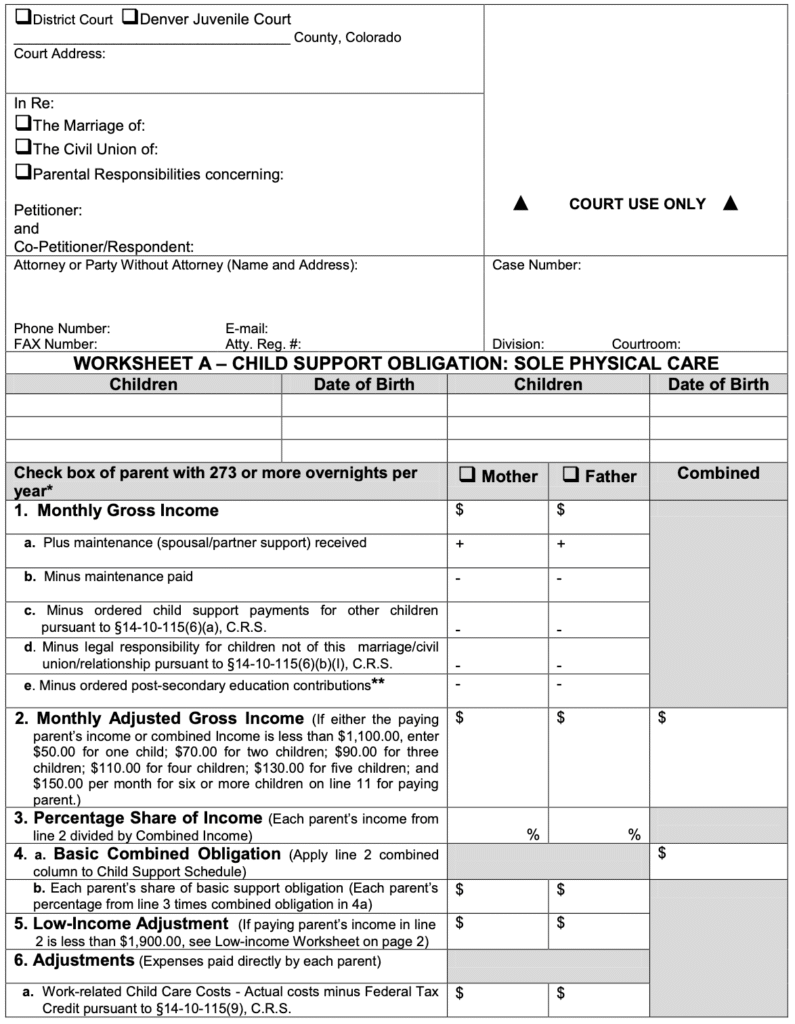
Before starting the calculation, let’s review what a child support worksheet is. A child support worksheet is a form used by Colorado courts to calculate the presumed amount of child support. There are two types of worksheets: Worksheet A for Sole Physical Care (when one parent has 273 or more overnights in a year) and Worksheet B for Shared Physical Care (when each parent has more than 92 overnights in a year).
Official forms identified by the names JDF 1820 and JDF 1821 can be downloaded from the following pages:
Child Support Worksheet A | Colorado Judicial Branch
Child Support Worksheet B | Colorado Judicial Branch
Case Caption
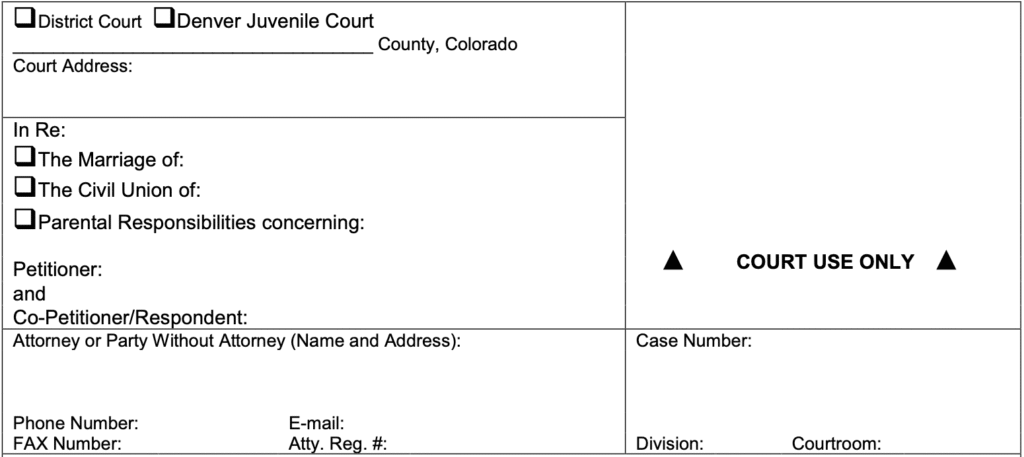
The first section of a worksheet is the case caption. It gives essential background information about a case:
- Which court is processing the case
- The type of case
- Who are the parties involved in the case
- Case number and other details
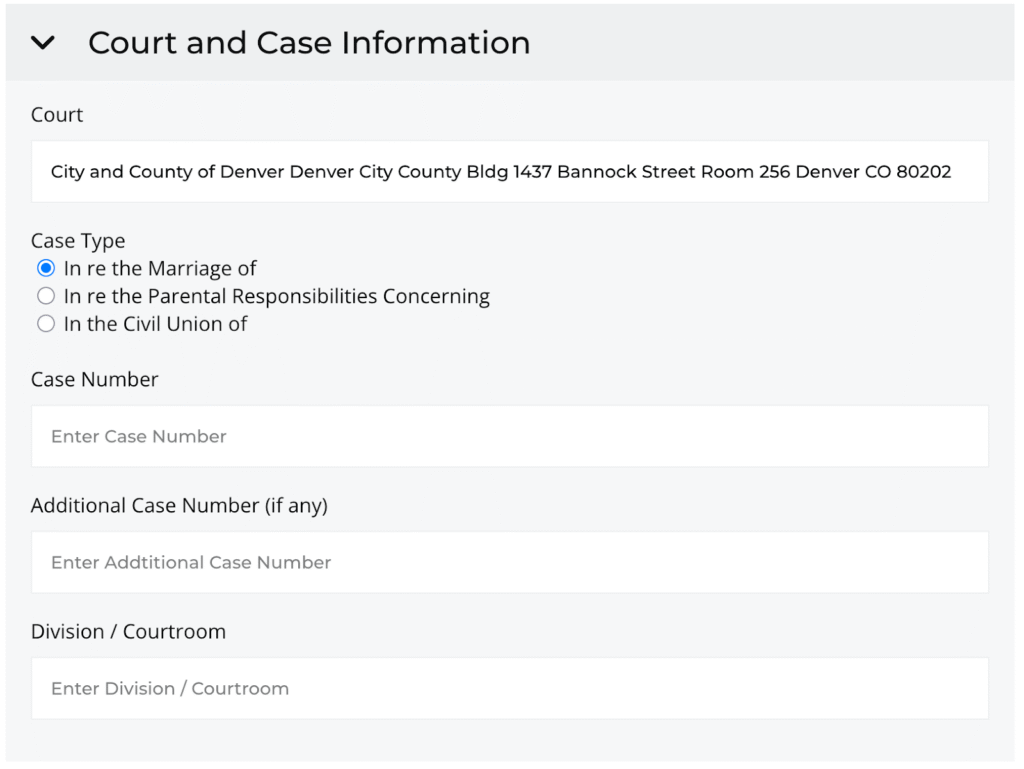
Legal Thunder child support calculator fills in the details here using data from the calculator’s Case Profile record and the Filing Party Profile stored for an account.
Worksheet Title
Beneath the case caption follows the worksheet title. This indicates the type of worksheet, either Worksheet A or Worksheet B.
Children

The children section lists the names and dates of birth of the children subject to this order. Only joint children subject to the child support order for whom both parties to the case have a legal responsibility to support should be listed here. Do not include children who are not subject to the case, or children from a different relationship unless the other party has legally adopted them or you have other reason to believe the other party has a legal responsibility to support them. If you are unsure which children you should include on the worksheet, ask an attorney or limited license paralegal (LLP).
Calculation Data Header
The next section is where the data used in the calculation is entered in a spreadsheet type of format with rows for each step of the calculation. This includes a header indicating which cell to enter each party’s individual or combined information. Worksheet A also includes in the header a checkbox to indicate which parent has 273 or more overnights per year.

Start Your Calculation
Descriptions and directions for the data to be input in the next sections of the worksheet are available in the rest of this guide. We’ve broken up the guide into five data entry parts in order to help make the process manageable. We recommend gathering any documentation related to both parents’ income and child-related expenses as part of your preparation.
Continue on to the next post in this guide at Part 2: Get Started and Enter Essential Details.
Disclaimer
This guide is intended for informational purposes only and is not a substitute for legal advice. The information provided in this guide is generalized, and every case is different. If you are not sure whether a particular part of this guide should apply to you as described or not, please check with an attorney or limited license paralegal.